
Learn how to get the best listening experience with Pure Audio Streaming, whether you’re using headphones, a computer, or a full immersive speaker system.
Headphone Playback #
Experience immersive audio through any pair of headphones using high-resolution binaural playback on supported devices.
iOS & Android Mobile Devices #
Listen anywhere with the Pure Audio Streaming app, available for download on iOS and Android devices through the App Store and Google Play.
- Support formats: AURO-3D, AURO-CX
Browser #
- Chrome/Safari
- Supported devices:
- Mac (newer than 2022), Windows 10/11
- Support formats:
Speaker Playback #
Enjoy lossless immersive audio through compatible AV receivers, speakers, soundbars, and streaming devices.
Note: Speakers Layouts: 7.1.4/ 5.1.4, 5.1
iOS & Android Mobile Devices #
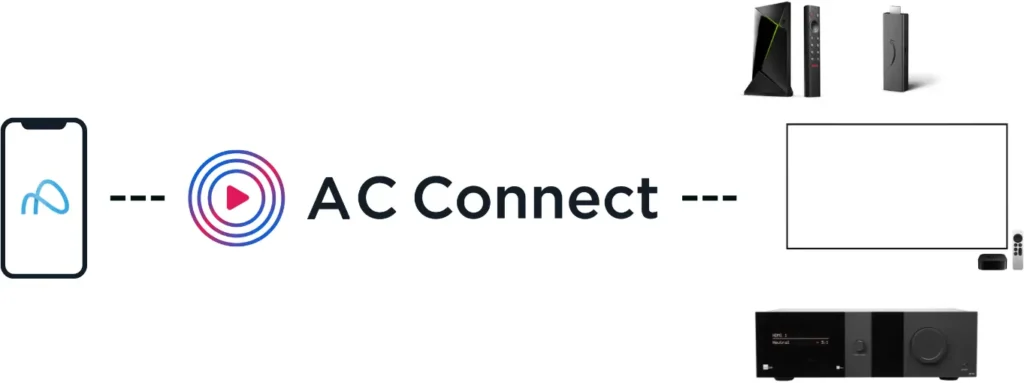
- Stream to your supported devices using AC Connect*.
- How to set up and stream with AC Connect
- Learn more about using AC Connect here
- Support devices:
- Nvidia Shield
- Fire Stick
- Fire Stick Cube 3rd Generation
- Note: FireTV 4K Select and HD 2nd Generation not currently supported.
- Apple TV
- Lyngdorf (MP-60)
*AC Connect coming soon to Android.
Chrome Support #
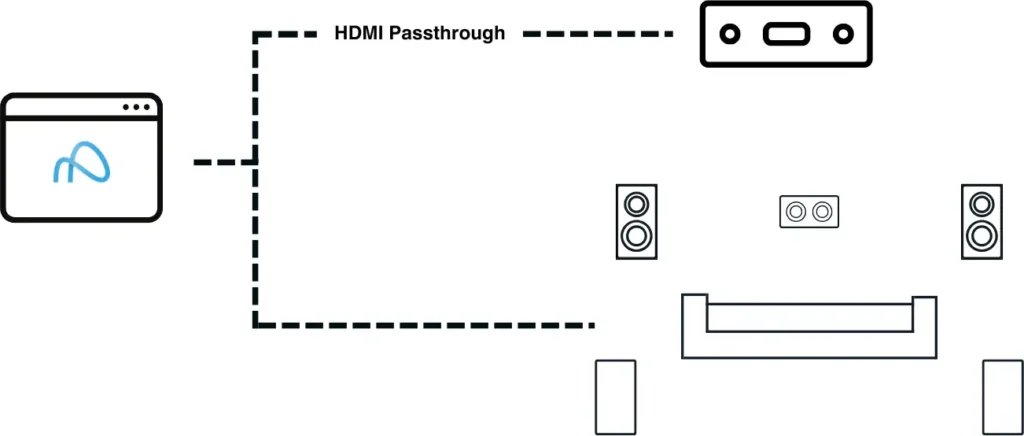
- Supported devices:
- AV Receivers supporting AURO-3D
- AURO-3D over HDMI using Passthrough
- To verify if your device supports AURO-3D, please check here.
- USB/ DANTE/ RAVENNA/ MADI
- PCM 5.1 and 7.1.4, 5.1.4
- AV Receivers supporting AURO-3D
Android TV #

- Pure Audio Streaming Android TV app
- Supported devices:
- AV Receivers supporting AURO-3D
- AURO-3D over HDMI using Passthrough
- To verify if your device supports AURO-3D, please check here.
- Supported formats:
- AURO-3D
- AURO-CX
- PCM (5.1/7.1)
- AV Receivers supporting AURO-3D