
To use Pure Audio Streaming on a Mac computer, your system must be correctly configured for HDMI playback to an AV receiver. Proper settings ensure accurate output format selection based on your device capabilities and listening setup.
- Connect your Mac Computer to an AVR that supports AURO-3D over HDMI.
- Note: Older Apple Computers may not support HDMI for Pure Audio Streaming.
- Note: HDMI on M1 Computers will only support 48 kHz.
- Go to your Applications -> Utilities folder and double-click on Audio MIDI Setup application.

- Select your device connected over HDMI.
- Set channel volume to 1.0 (maximum).
- Click on the Configure Speakers button (lower right).
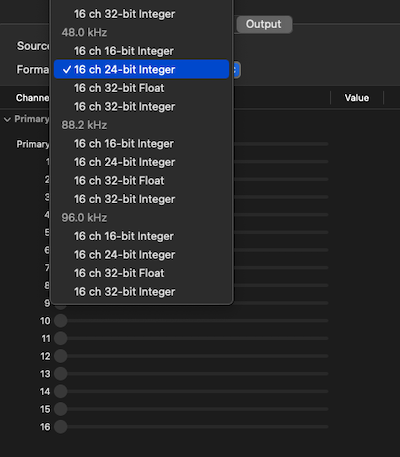
- Click on the Configure Speakers button (lower right).
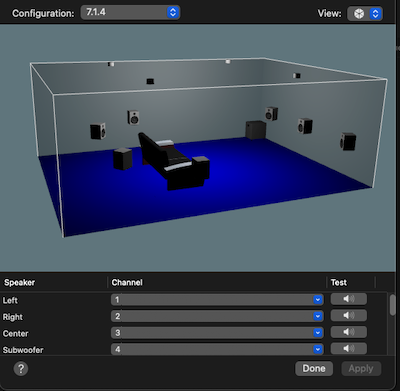
- Select correct speaker setup under Configuration Menu.
We highly recommend using Chrome browser for AURO playback. Other browsers may not work properly.